Pills
Create pill presets that set the look of tags and small labels.
A pill preset is a saved style for a tag or a small label. Blocks that show tags choose a pill preset from a Pill Preset picker, for example the Masthead.
Open Design → Pills. The preview shows the pill at three sizes (Small, Medium, and Large) in two states: Default and Hover.
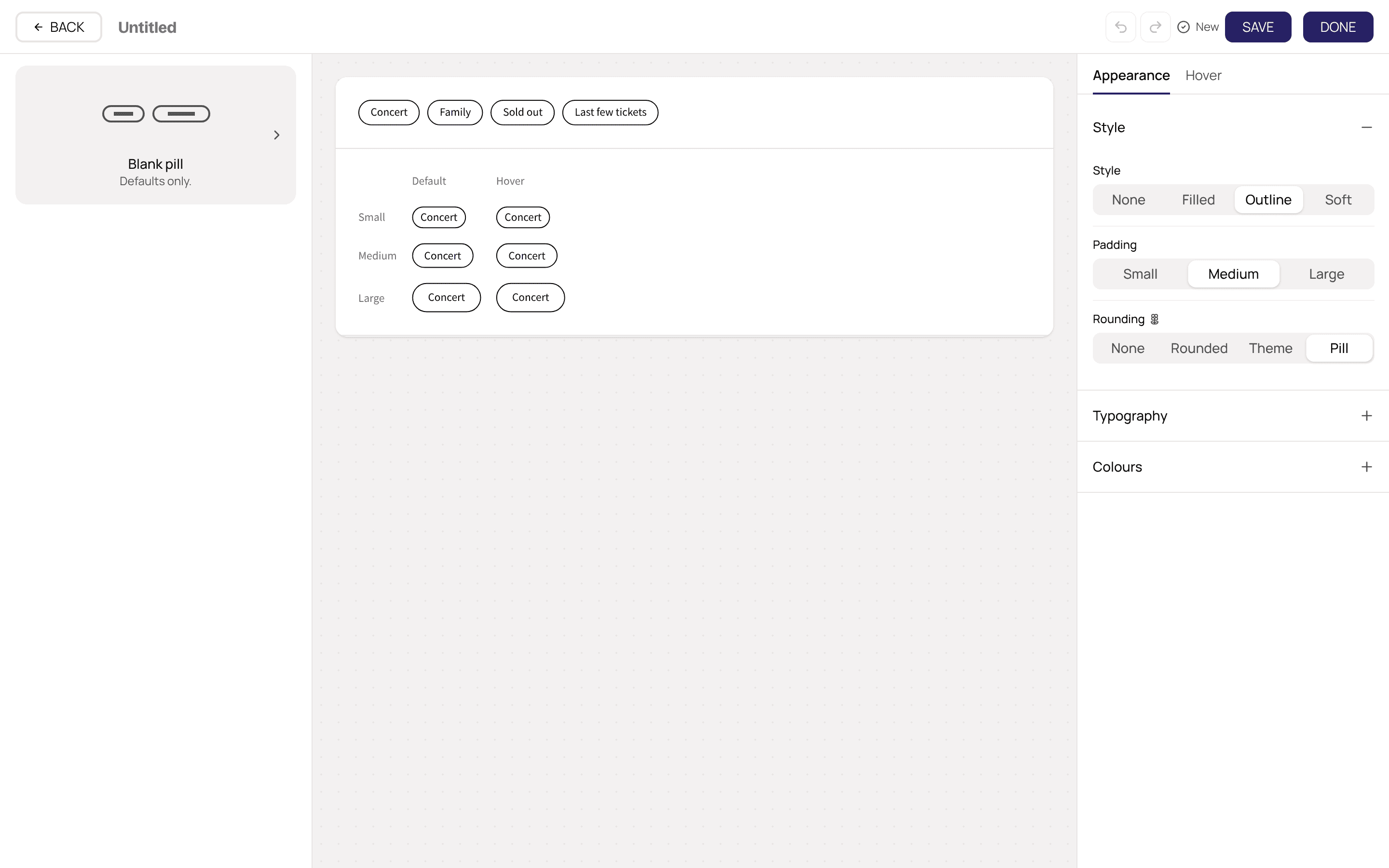
A new pill in the editor, before you save it.
- 1Hover — The options for the hover effect.
- 2Style — The style, padding, and rounding of the pill.
- 3Blank pill — The selected starting point. Click it to choose another.
- 4Rounding — The shape of the corners.
Create a pill preset
Click New
Click New. The pill opens in the editor.
Choose a starting point
In the Preset picker, choose a starting point:
- Soft tag: quiet tint for categories.
- Outline label: hairline border, rounded.
- Status badge: filled accent, uppercase heading.
- Plain meta: no container, text only.
Name the preset
Enter a name that tells editors when to use the pill.
Set the look
Set the options on the Appearance and Hover tabs.
Save
Click Save.
To edit a preset later, select it and click Edit pill.
Appearance
The Appearance tab has three sections.
Style:
- Style: None, Filled, Outline (default), or Soft.
- Padding: Small, Medium (default), or Large.
- Rounding: None, Rounded, Theme, or Pill (default).
Typography: the paragraph style of the text, with options for the font, style, case, line height, and letter spacing.
Colours:
- Background Color: shows for the Filled and Soft styles.
- Text Color: the color of the text.
Hover
The Hover tab sets how a pill that is a link changes when a visitor points at it.
- Hover: None, Tint, Fill, or Underline.
- Hover Background Colour and Hover Text Colour: show with Fill.
- Duration and Easing: the speed and motion of the change. Show when Hover is not None.